One of the easiest methods to get a chained certificate is by downloading it from a browser. In this user guide from ArvanCloud, we will show you how to export a chained certificate from two of the most popular web browsers, Mozilla Firefox and Google Chrome.
How to Download a Chained Certificate From Mozilla Firefox
Follow this instruction:
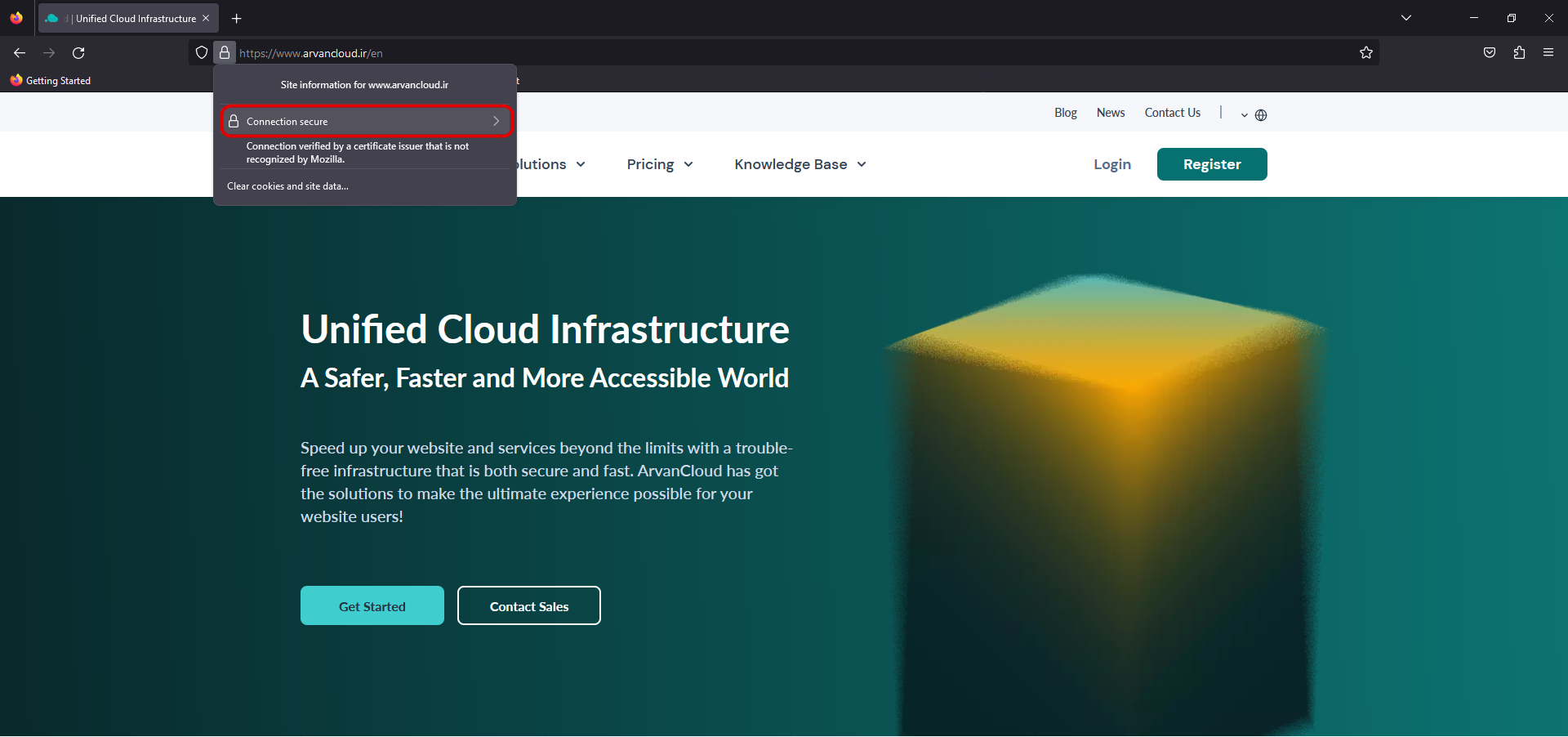
- Open your website in Firefox.
- Click on the lock button beside the website address in the address bar.
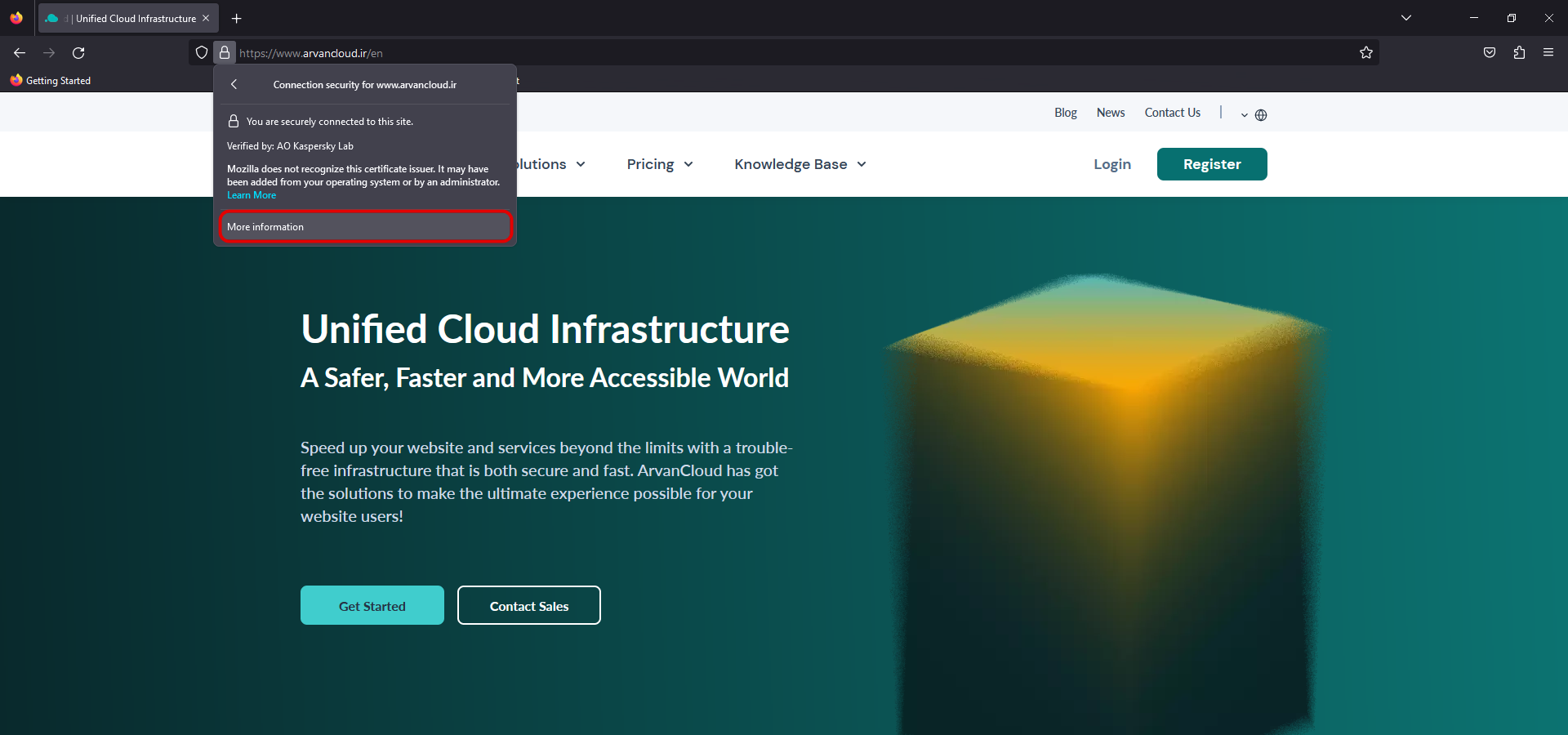
- Click on Connection Secure

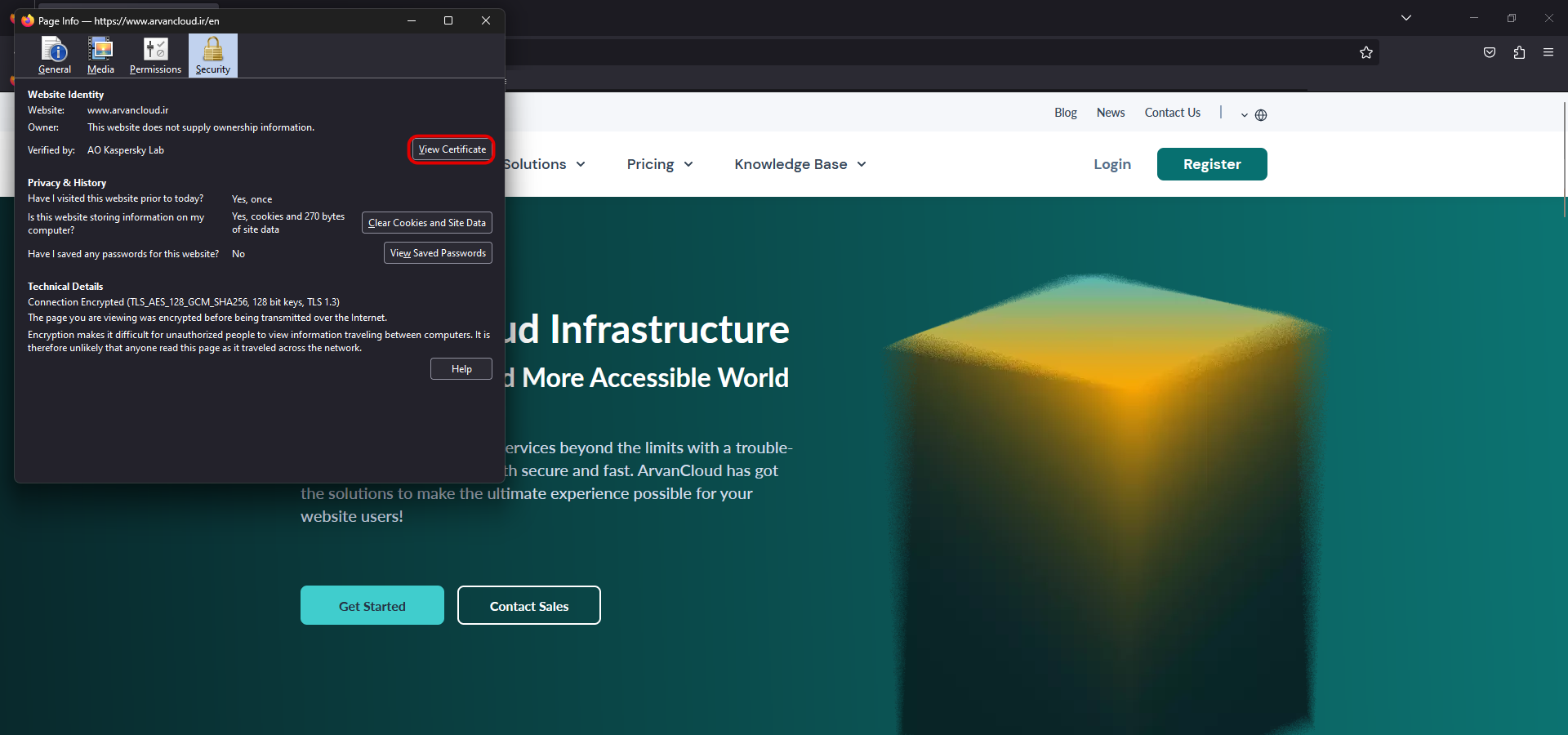
- Go to: More Information

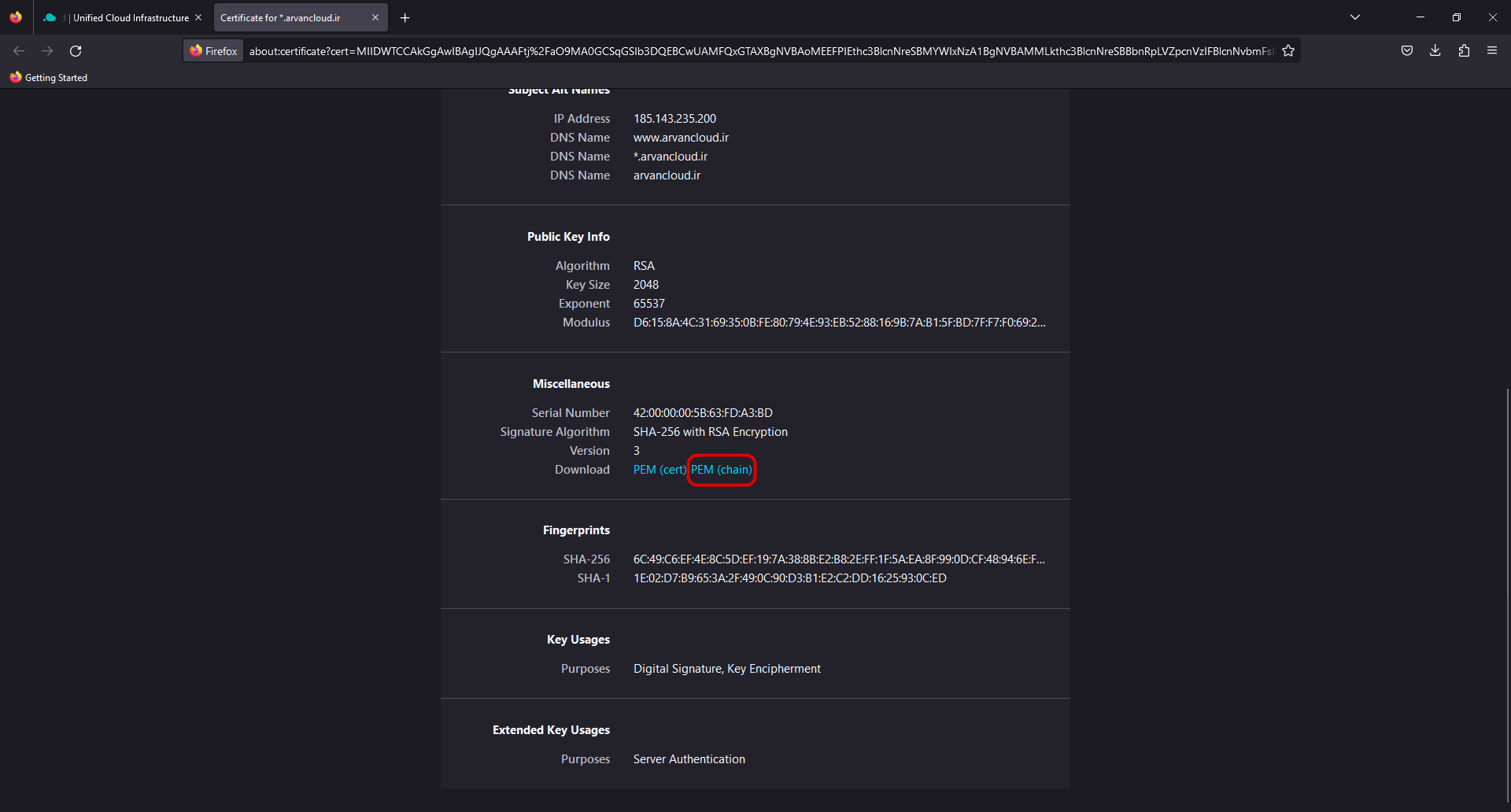
- Choose View Certificate
- Under the Miscellaneous section click on PEM (chain)

How to Download a Chained Certificate From Mozilla Firefox
Follow this instruction:
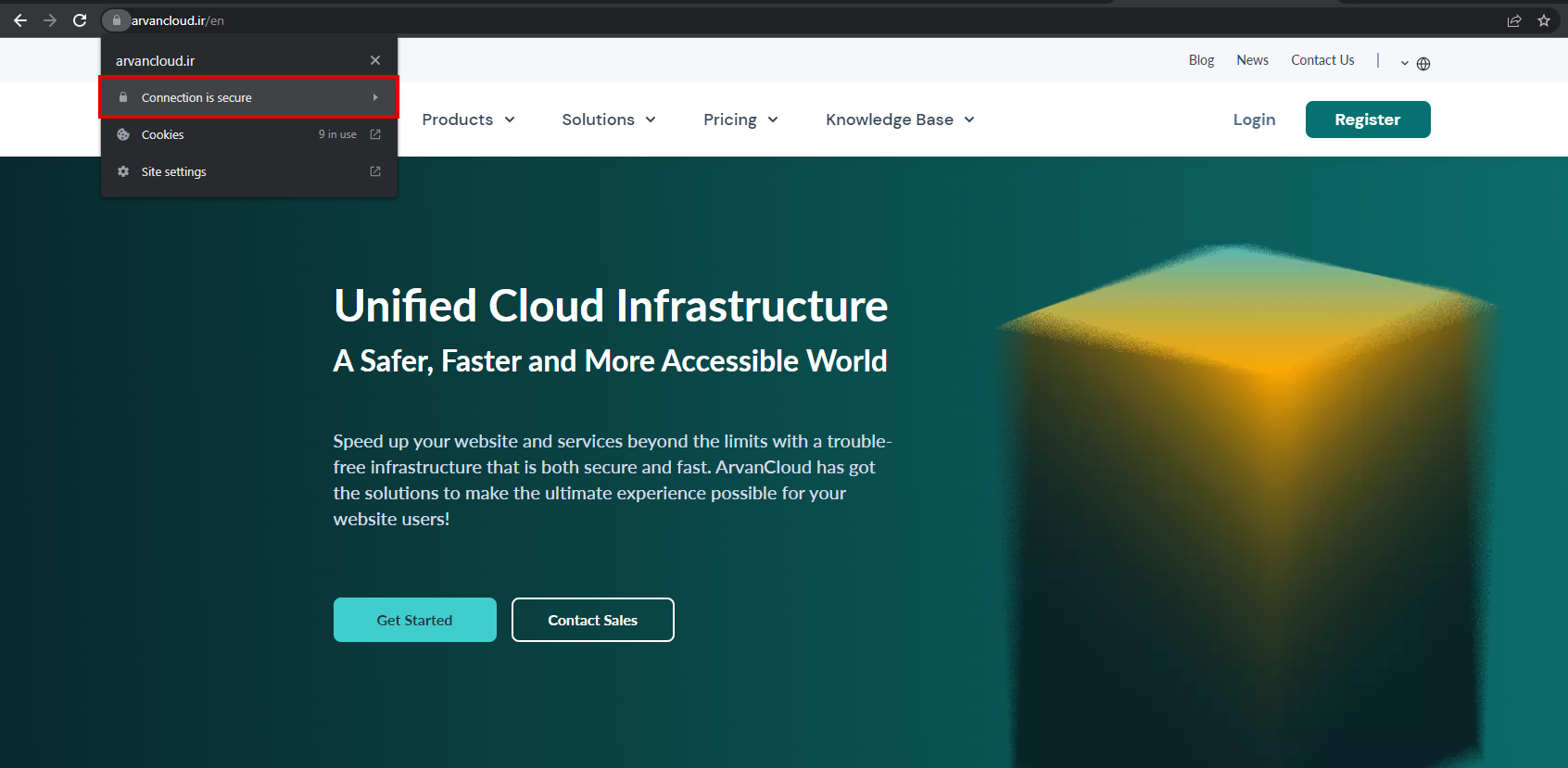
- Open your website in Chrome
- Click on the lock button beside the website address in the address bar
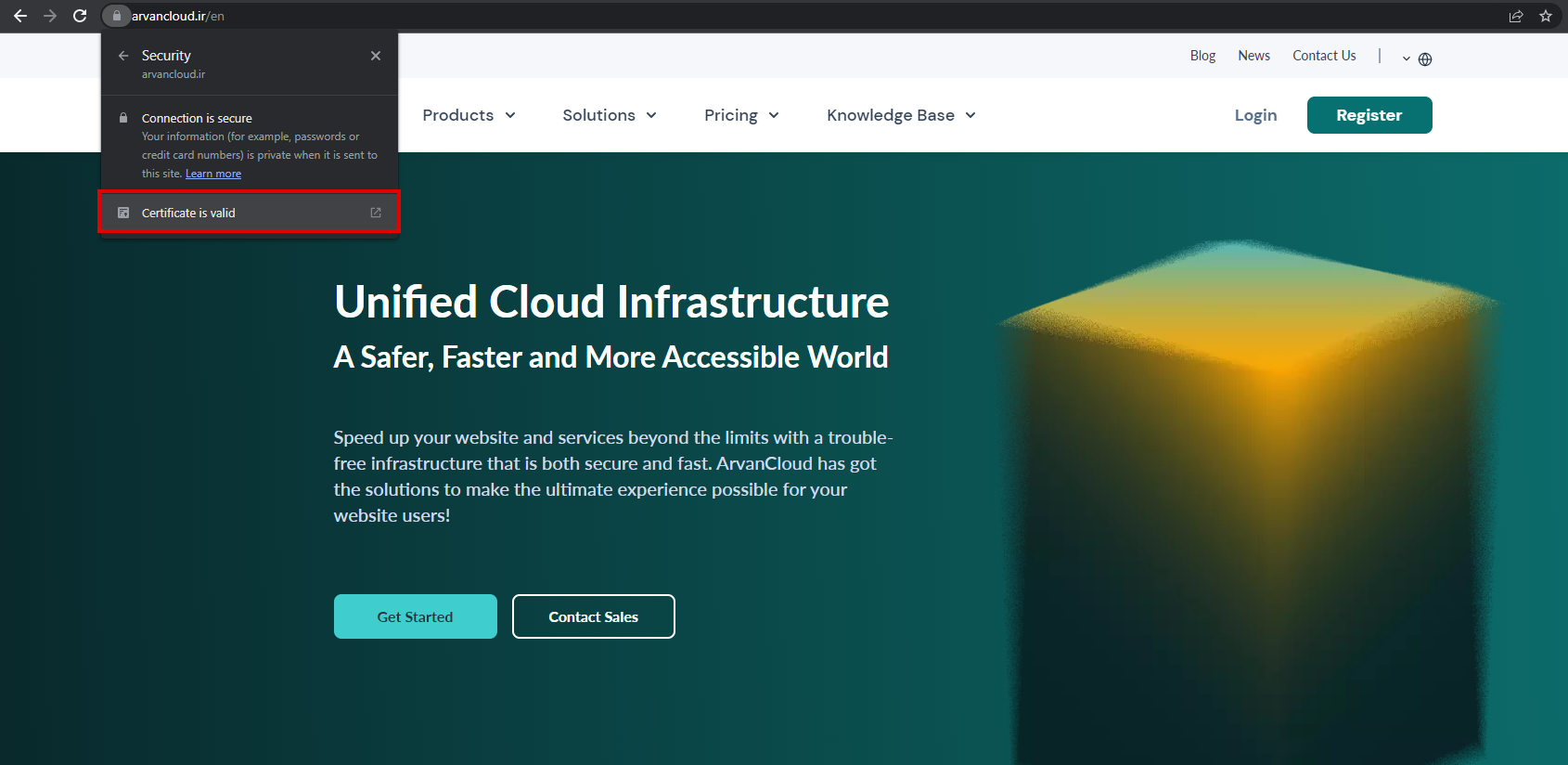
- Click on Connection is secure

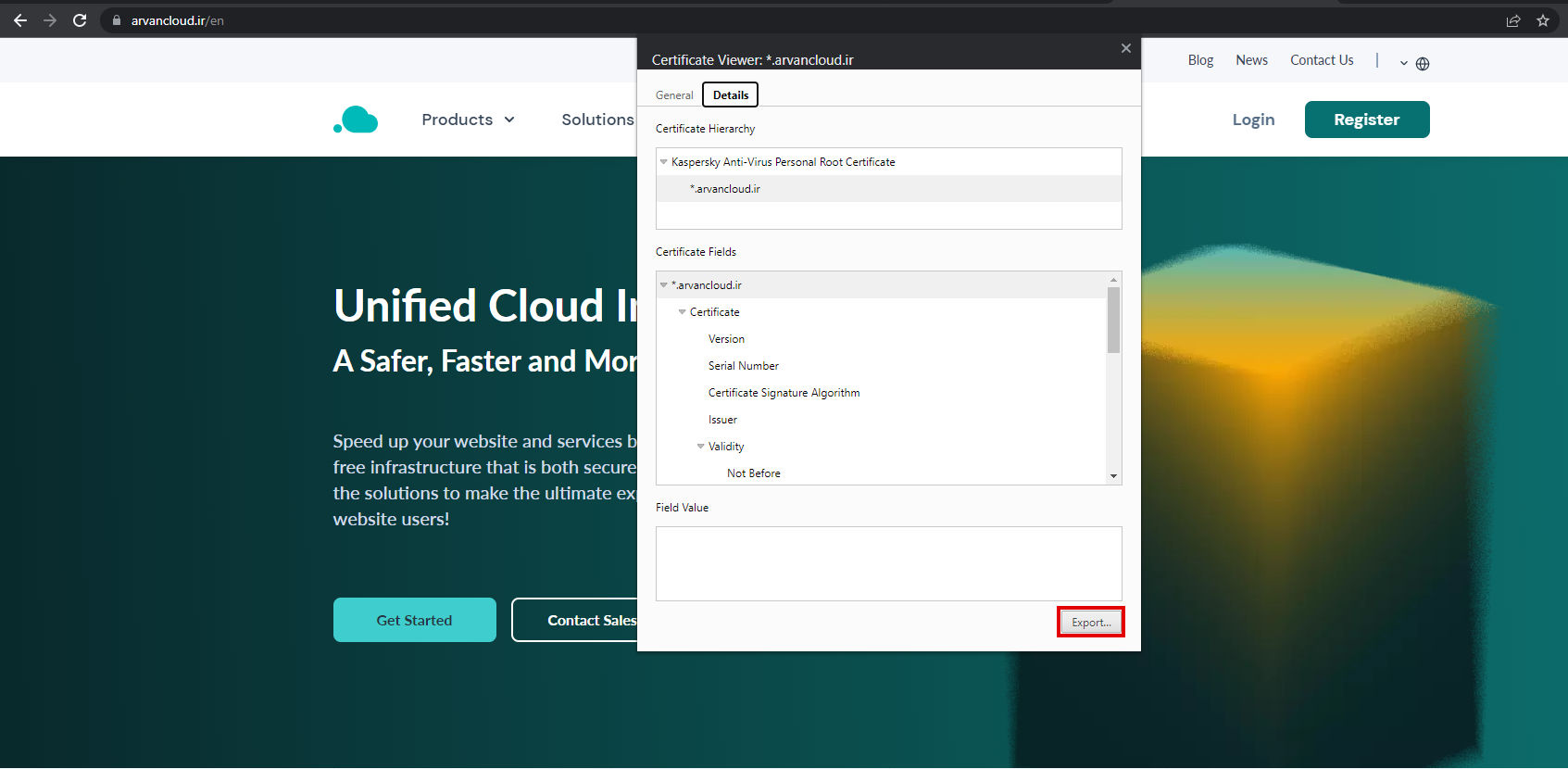
- Click on Certificate is valid

- Go to Details tab and click on Export

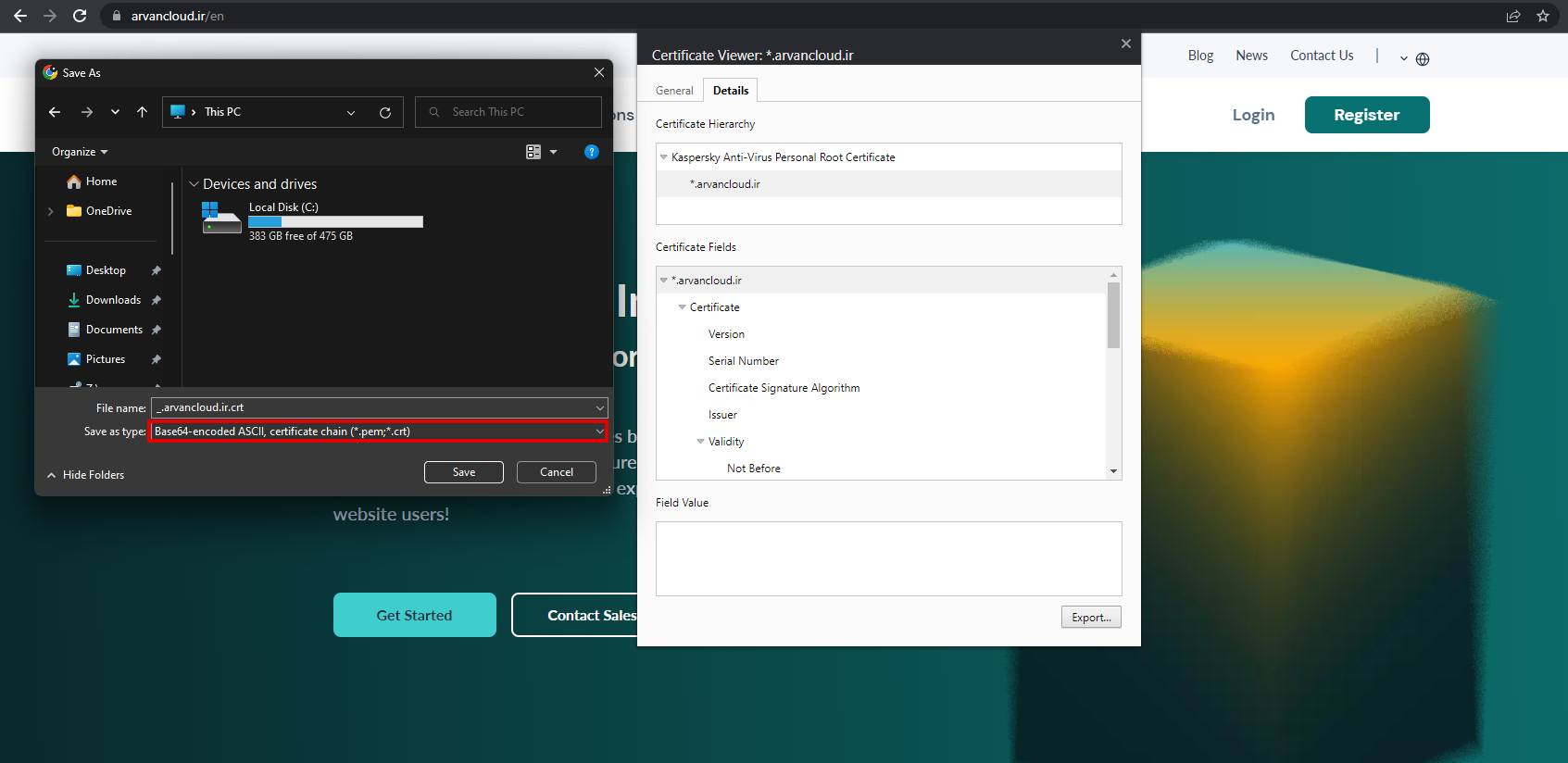
- Choose Base64-encoded ASCII, certificate chain (*.pem;*.cert) as the type
- Choose your desired name and location

- Click on Save